Share Slides
The deck on every screen.
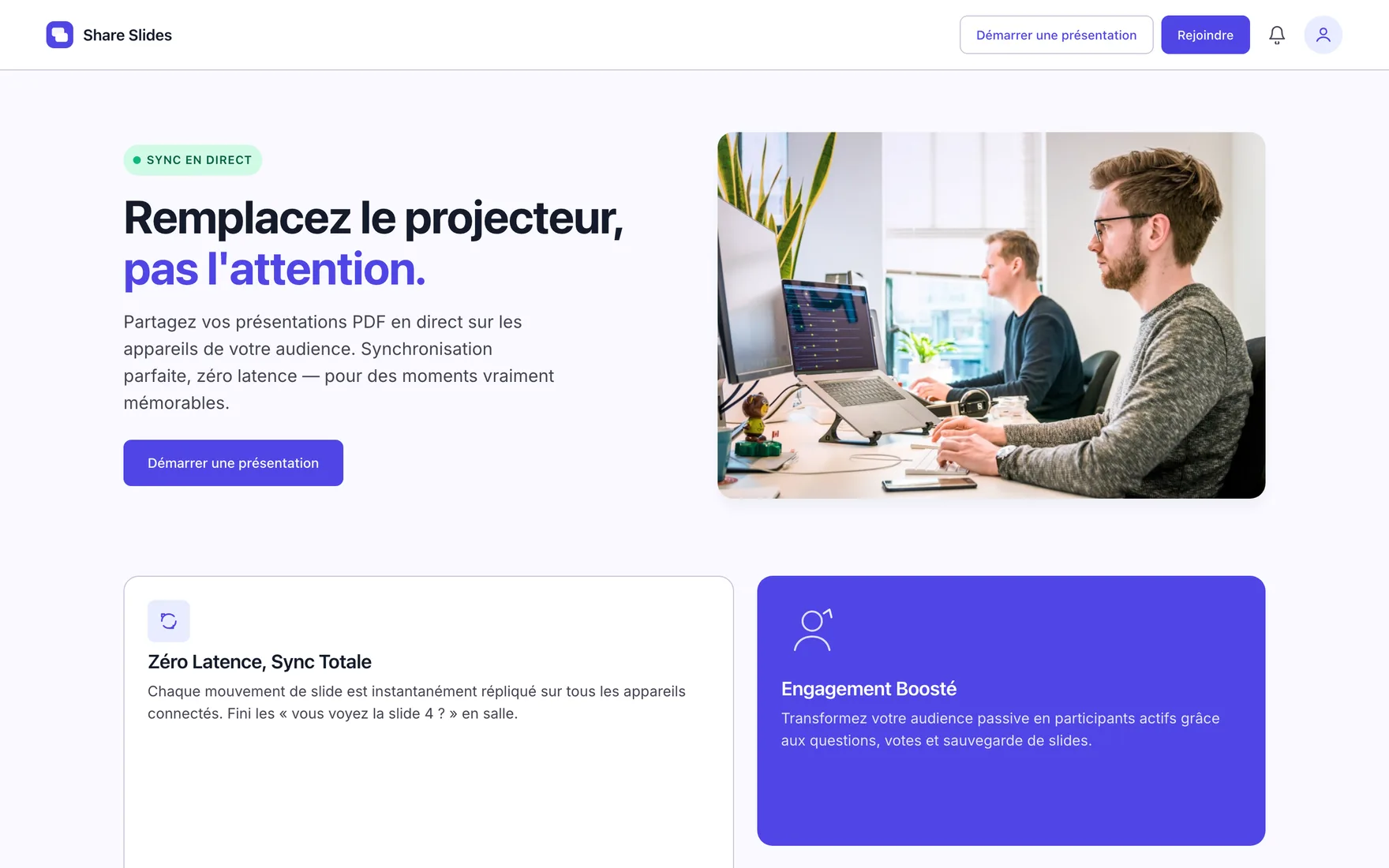
Live presentation broadcasting: the presenter drives, each participant follows on their own device. QR code and PIN access, in-session questions and polls, post-event engagement report.
- Reference
- LF-2026-05
- Sector
- Conferences · Training
- Period
- 2026
- Technologies
- React · TypeScript · WebSocket · Node.js · PDF
- sync latency
- 0sync latency
- controlled access
- QR + PINcontrolled access
- input format
- PDFinput format
- engagement report
- Postengagement report
Context
In a conference room, part of the audience cannot read the screen: too far, bad angle, backlight. Participants photograph slides, lean over, disengage. The question “are you on slide 4?” comes back at every session.
Challenge
Broadcasting a presentation to dozens of devices at once requires genuinely instant synchronisation — a one-second lag is enough to break the thread. Joining a session also had to require no account and no installation, while shared documents stayed under the presenter's control.
Response
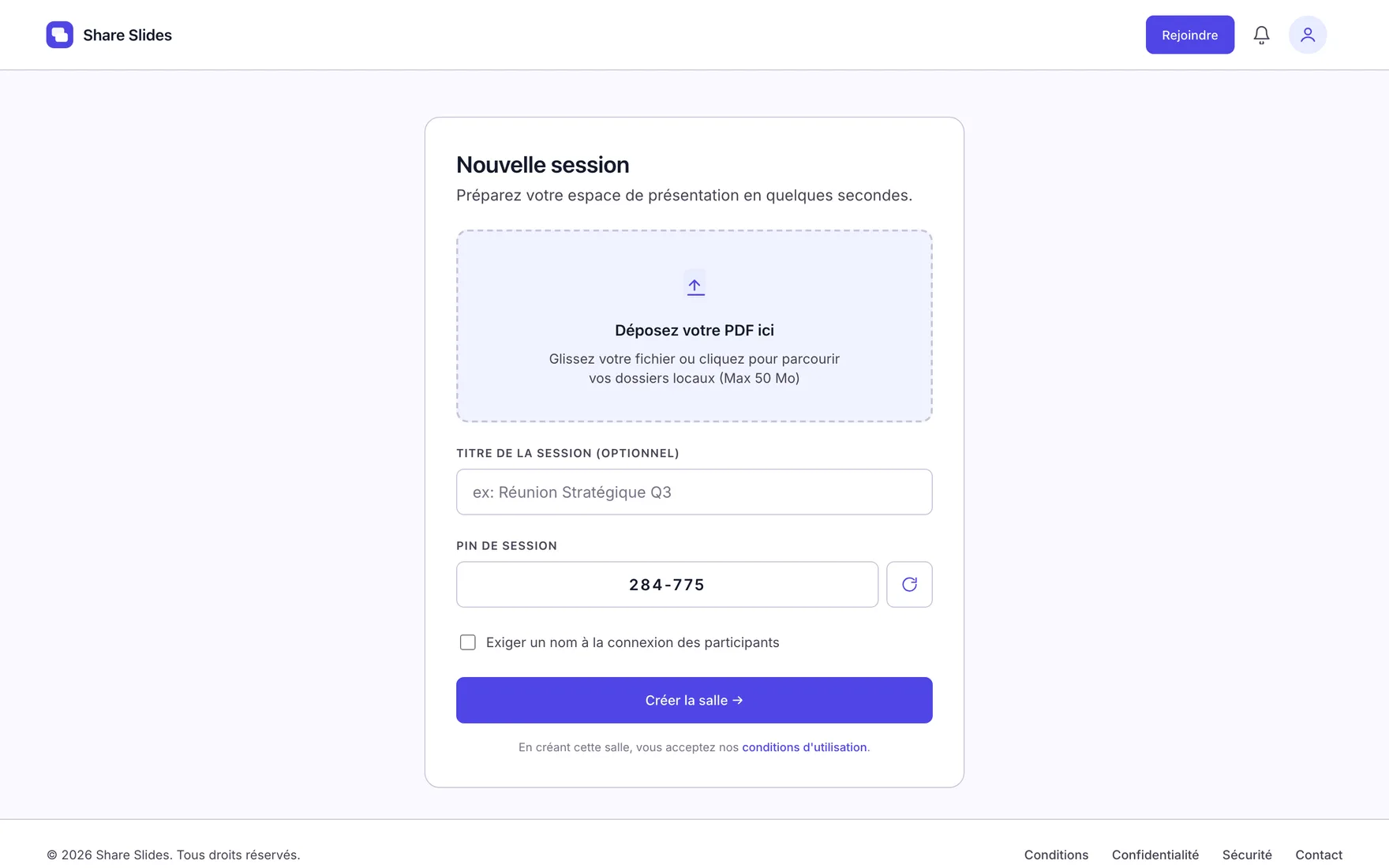
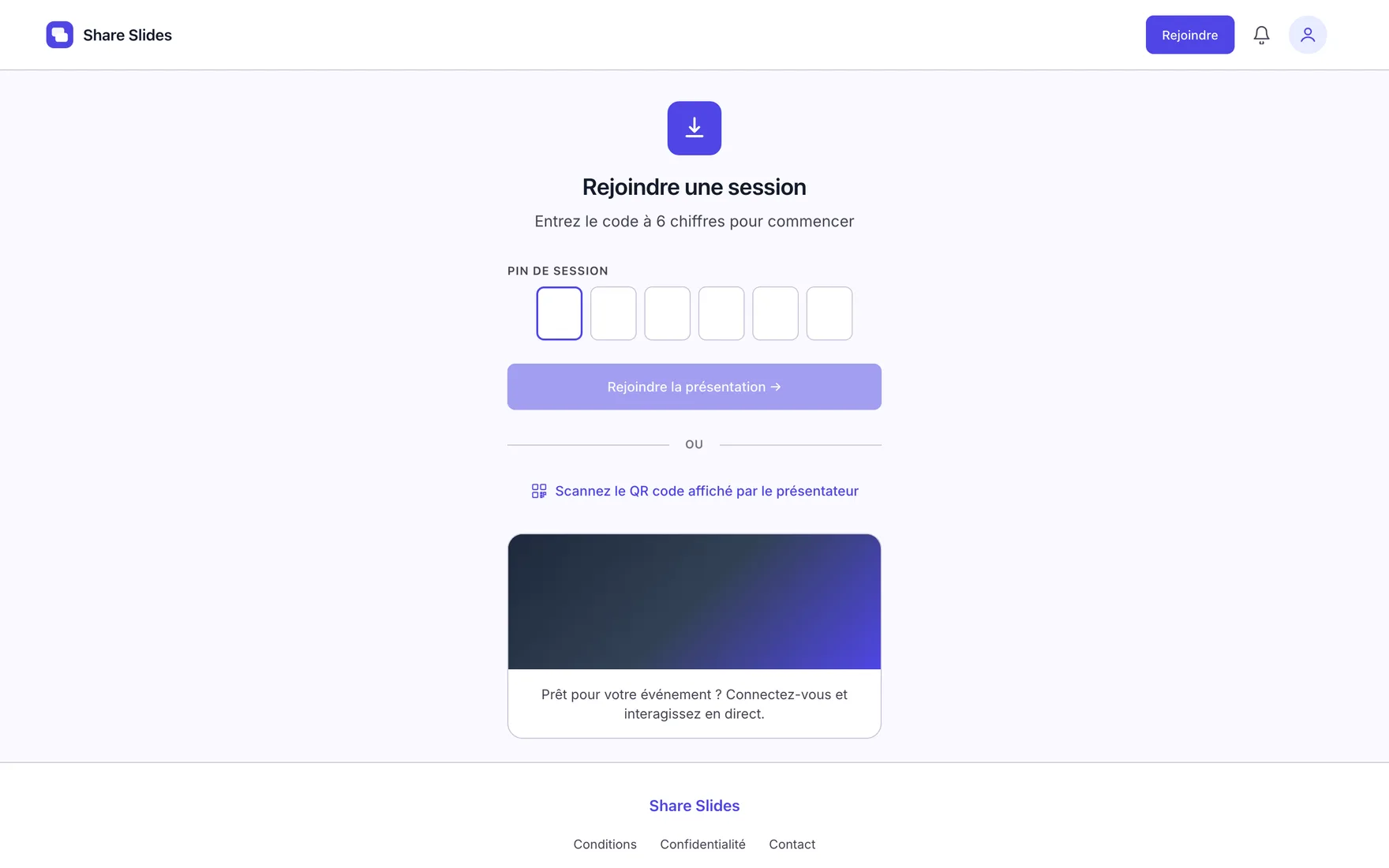
The presenter creates a room and uploads their PDF. Every slide change is replicated instantly on all connected devices. Participants join by QR code or PIN, with no account and no installation. During the session they ask questions, vote and save the slides that matter to them. After the event, an engagement report reflects the audience's actual behaviour — something neither a projector nor an emailed PDF can provide.
Capabilities
Instant synchronisation
Every slide change is replicated on all connected devices, with no perceptible lag.
QR code and PIN access
Joining a session requires no account and no installation. Access stays under the presenter's control.
Questions, polls and saving
A passive audience becomes participatory: they ask, vote, and keep the slides that matter to them.
Engagement report
After each presentation, a detailed report reflects the audience's actual behaviour.
In operation
Screenshots taken from the real application.
Outcomes
- No more “are you on slide 4?” in the room.
- An audience that participates instead of photographing the screen.
- A shared document that stays under the presenter's control.
- A measure of impact after the session, not an impression.